
Snapchat makes it easy to stay connected with friends, classmates, and family members. However, there may come a time when you no longer want someone on your friend list. Maybe you don’t talk anymore, perhaps it was an accidental add, or you simply want more privacy on your account.
Whatever the reason, removing a friend on Snapchat is a personal choice and a normal part of managing your social media experience. The good news is that the process is quick, simple, and doesn’t require any technical knowledge.
In this guide, you’ll learn what happens when you remove a friend, how to do it step by step, and what other options are available if you’re not ready to remove someone completely.
Table of Contents
What Does Removing a Friend on Snapchat Mean?
When you remove someone from Snapchat, they are no longer on your friends list. This action does not delete their account, and it is different from blocking them.
After removing a friend, certain content may become unavailable to them depending on your privacy settings. For example, they may not be able to view private stories or other content shared only with friends.
One reason many users choose this option is that Snapchat does not send a notification when someone is removed. This allows you to manage your friend list privately and comfortably.
How to Remove a Friend from Snapchat Step By Step
Removing a friend on Snapchat is a quick process and can be done in just a few taps. Follow these simple steps:-
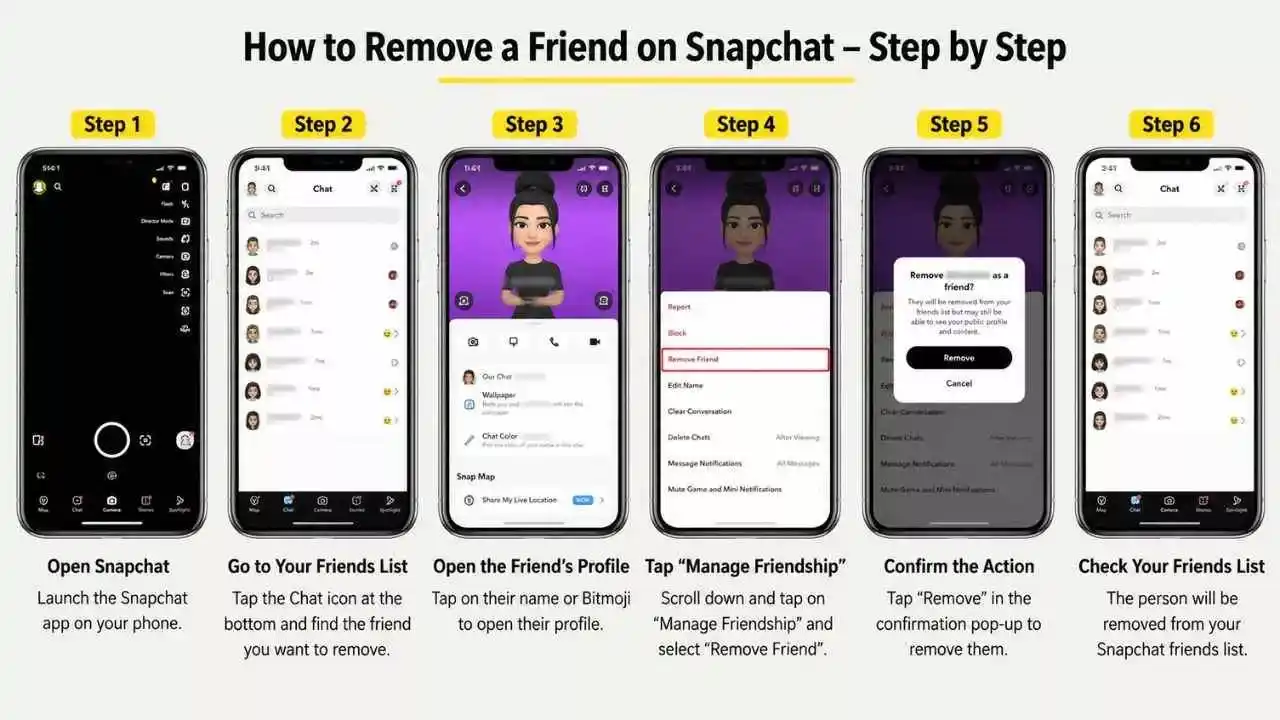
Step 1: Open Snapchat
Launch the Snapchat app on your Android or iPhone and make sure you’re logged into your account.
Step 2: Go to Your Friends List
Tap the Chat icon at the bottom of the screen to open your conversations. You can also use the Search bar at the top to find the friend you want to remove.
Step 3: Open the Friend’s Profile
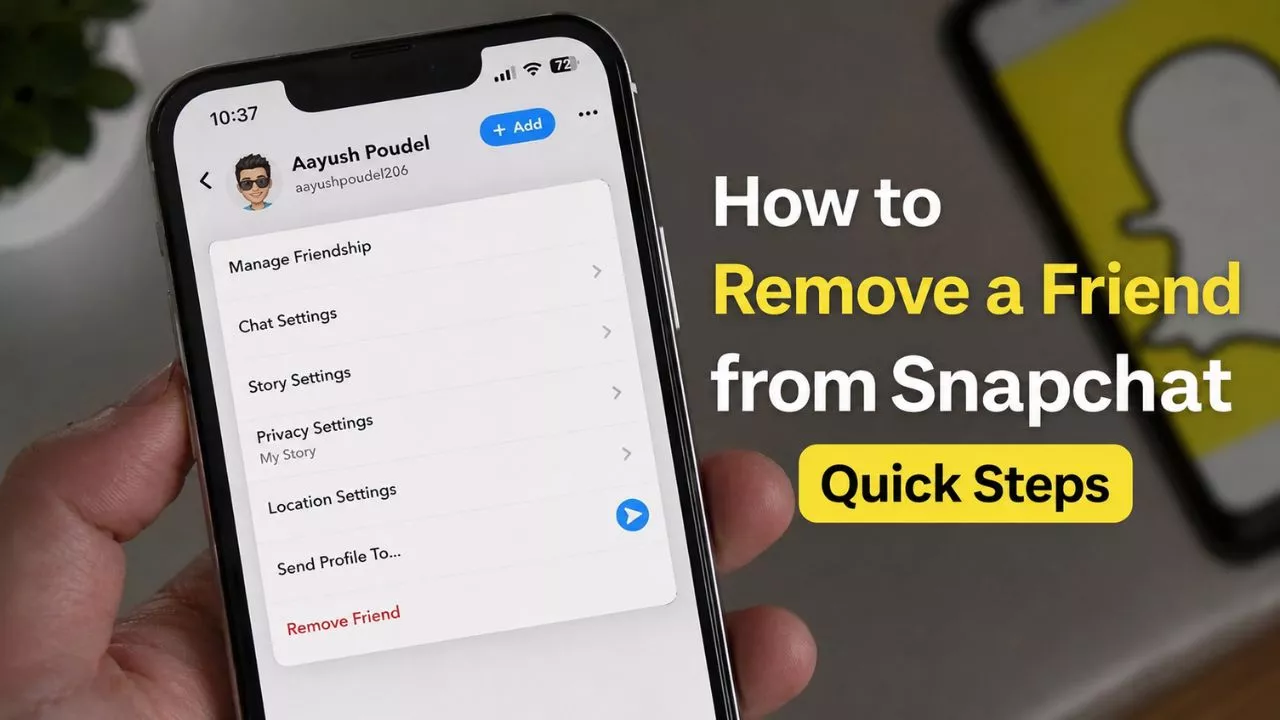
Press and hold the person’s name in your chat list, then tap Manage Friendship. You can also tap their profile picture and open their profile directly.
Step 4: Tap “Remove Friend”
Inside the Manage Friendship menu, select Remove Friend. Snapchat will ask you to confirm your choice before proceeding.
Step 5: Confirm the Action
Tap Remove when the confirmation pop-up appears. The person will immediately be removed from your Snapchat friends list.
Step 6: Check Your Privacy Settings (Optional)
After removing a friend, you may want to review your privacy settings to control who can contact you, view your stories, or see your location on Snap Map.
That’s it. The user will be removed from your friends list, and Snapchat will not send them a notification about this action.
Read Also – How to See Mutual Friends in Snapchat (Complete Guide)
Alternatives to Removing a Friend on Snapchat
Removing someone is not always the only solution. If you simply want fewer notifications, you can mute them instead.
You can also adjust your privacy settings to control who can view your stories and contact you. In more serious situations, blocking a user may be a better option.
Taking a moment to review these alternatives can help you choose the option that best fits your situation.
Read Also – How to Clear Chat in Snapchat Without Deleting Friends
Common Reasons People Remove Friends on Snapchat
People remove friends for many different reasons. Sometimes conversations naturally stop, and the connection is no longer active.
Others may remove unknown accounts, spam profiles, or people they accidentally added. Privacy concerns are another common reason, especially for users who prefer to keep their friend list small and personal.
In some cases, personal disagreements or changes in relationships may lead someone to clean up their social media connections. Ultimately, everyone has the right to create a comfortable online space.
Conclusion
Removing a friend from Snapchat is a simple feature that helps users manage their social connections. Whether your goal is better privacy, a cleaner friend list, or a more comfortable experience, the process is straightforward and easy to complete.
Before making a decision, consider all available options, including muting or adjusting privacy settings. The most important thing is to use Snapchat in a way that feels safe, enjoyable, and right for you.
FAQs
Will someone know if I remove them from Snapchat?
No, Snapchat does not send a notification when you remove a friend.
Can I add someone again after removing them?
Yes, you can send them a new friend request at any time.
What is the difference between removing and blocking a friend?
Removing someone takes them off your friends list, while blocking prevents them from contacting or interacting with you.
Can removed friends still send messages?
This depends on your privacy settings and who is allowed to contact you.
Is removing a friend permanent?
No. You can always add the person again in the future if you change your mind.