
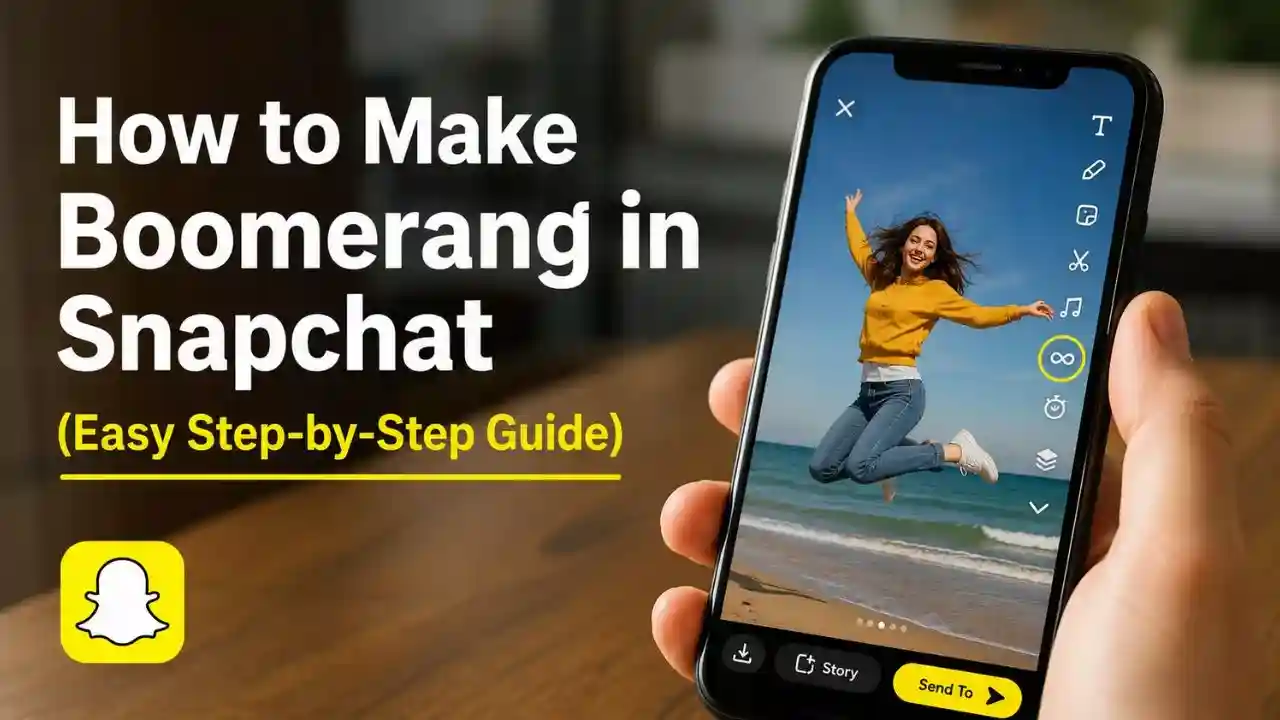
Snapchat is known for its fun camera features, filters, and creative tools. One feature that many users love is the Boomerang-style video effect. That’s why many Snapchat users search for How to Make Boomerang in Snapchat when they want to create eye-catching looping videos. These short clips can make even ordinary moments look more fun and entertaining.
Whether you’re recording a funny reaction, showing off a new outfit, or capturing a travel moment, a Boomerang can add extra energy to your Snapchat Stories.
Many people think creating a Boomerang in Snapchat is complicated, but it is actually very simple. In this guide, you’ll learn exactly how to make a Boomerang in Snapchat, along with some useful tips and common mistakes to avoid.
Table of Contents
What Is Boomerang in Snapchat?
A Boomerang is a short video that plays repeatedly in a loop. Instead of showing a normal video from start to finish, the clip keeps repeating, creating a fun visual effect.
While Snapchat doesn’t officially call it “Boomerang” like some other social media apps, it offers a similar effect through its Loop feature.
This feature allows users to create engaging videos that replay continuously, making movement stand out and grabbing viewers’ attention.
Because looping videos are fun to watch, many Snapchat users include them in their Stories and private chats.
Why Do People Use Boomerang Videos on Snapchat?
Boomerang-style videos make ordinary moments look more exciting.
Imagine jumping into a swimming pool, waving at the camera, opening a gift, or showing a beautiful view. A looping effect can make these actions look smoother and more interesting than a regular video.
Many users also prefer looping videos because they are short and easy to watch. Friends can quickly understand the moment without sitting through a long video.
For content creators, looping videos often attract more attention because viewers naturally watch them multiple times.
How to Make Boomerang in Snapchat
Creating a Boomerang-style video on Snapchat takes only a few steps.:-
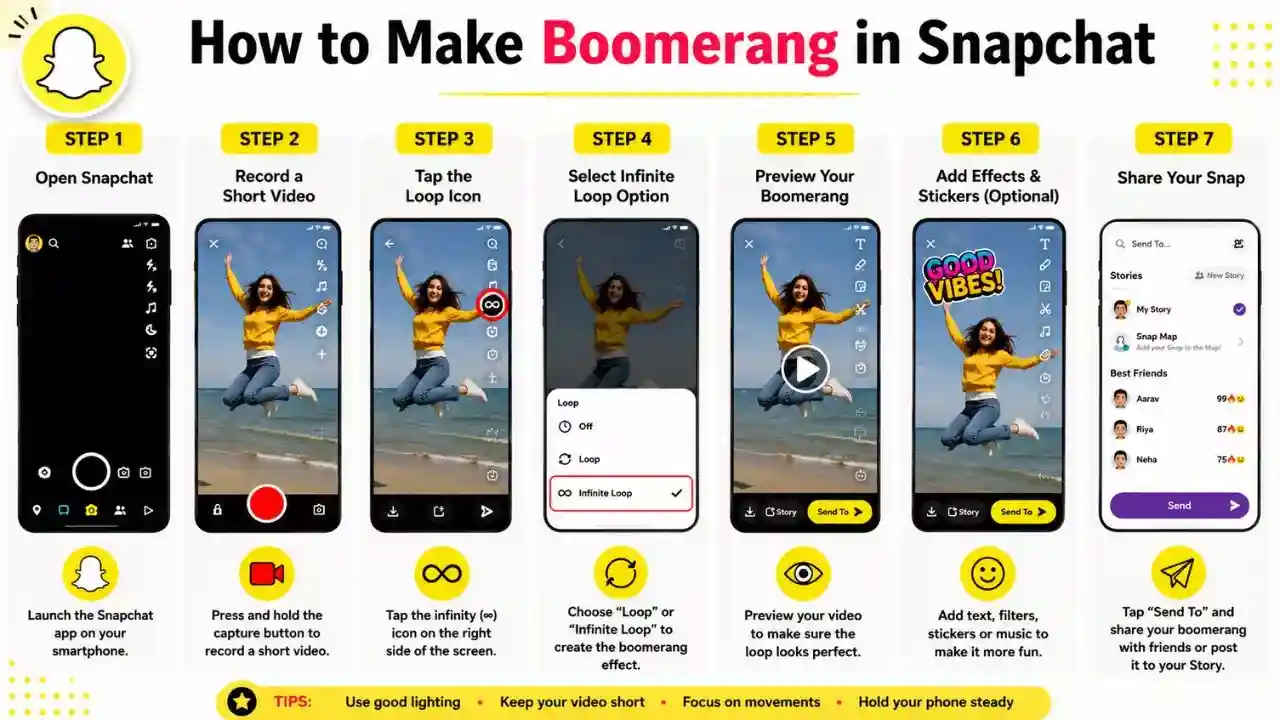
Step 1: Open Snapchat
Launch the Snapchat app on your Android or iPhone device.
Make sure you’re logged into your account and have camera access enabled.
Step 2: Record a Short Video
Press and hold the capture button to record a short video.
Try to record a moment that includes movement because looping effects work best when something is moving in the frame.
For example:
- Jumping
- Dancing
- Waving
- Running
- Throwing an object
- Showing a scenic view
A short video usually works better than a long one.
Step 3: Tap the Loop Icon
After recording the video, look for the Loop icon on the right side of the screen.
The icon looks like an infinity symbol or circular arrow.
Tap it once.
Step 4: Enable Infinite Loop
When you tap the Loop icon, Snapchat gives you the option to replay the video continuously.
Select the Infinite Loop option.
This creates a Boomerang-like effect where the video keeps replaying without stopping.
Step 5: Preview Your Video
Watch the video before posting it.
Check whether the movement looks smooth and natural.
If the loop doesn’t look good, record another video and try again.
Sometimes a small change in camera angle can make a big difference.
Step 6: Add Effects and Stickers
If you want, you can add:
- Text
- Emojis
- Stickers
- Filters
- Music
These extras can make your Boomerang-style Snap more engaging.
Step 7: Share Your Snap
Once you’re happy with the result, tap Send To and share the video with friends or post it to your Story.
Your looping video is now ready for others to enjoy.
Read Also
- How to Change Snapchat Username (Complete Step-by-Step Guide)
- How to Add Location in Snapchat Step By Step
Tips to Make Better Boomerang Videos
Creating a good looping video is not only about pressing buttons. A few simple tricks can make your content look much better.
1. Use Good Lighting
Bright environments help the camera capture clearer details.
Natural daylight usually gives the best results.
2. Keep Your Hands Steady
Shaky videos can make loops look messy.
Hold your phone steadily while recording.
3. Focus on Movement
Boomerang effects work best when something is moving.
A completely still video may not look very interesting.
4. Keep Clips Short
Short clips generally create smoother loops.
Try to keep recordings simple and focused.
5. Experiment with Different Angles
Sometimes changing your camera angle can make the looping effect look more creative and fun.
Common Mistakes You Should Avoid
Many users make a few simple mistakes that reduce the quality of their looping videos.
1. Recording Videos That Are Too Long
Long clips often create awkward loops.
Short videos usually work much better.
2. Using Poor Lighting
Dark videos can appear blurry and less attractive.
Try recording in well-lit areas whenever possible.
3. Adding Too Many Effects
Filters and stickers can be fun, but using too many at once can make your Snap look cluttered.
Keep things simple.
4. Ignoring Video Preview
Always preview your video before posting.
A quick review helps you spot mistakes and improve the final result.
Conclusion
Making a Boomerang-style video in Snapchat is simple and takes only a few moments. By recording a short video and using Snapchat’s Loop feature, you can create fun, engaging content that stands out in Stories and chats.
Whether you’re capturing everyday moments or special memories, looping videos add extra personality and excitement to your content. With a little creativity and the tips shared above, you’ll be able to create better Snapchat videos and make your Stories more enjoyable for your friends and followers.
FAQs
Q.1 Can I create a Boomerang directly in Snapchat?
Snapchat doesn’t have a feature called Boomerang, but its Loop feature creates a very similar effect.
Q.2 Is the Snapchat Loop feature free?
Yes, the Loop feature is available for free within the Snapchat app.
Q.3 Can I use Boomerang effects on Android and iPhone?
Yes, the feature works on both Android and iPhone devices.